stockpilot

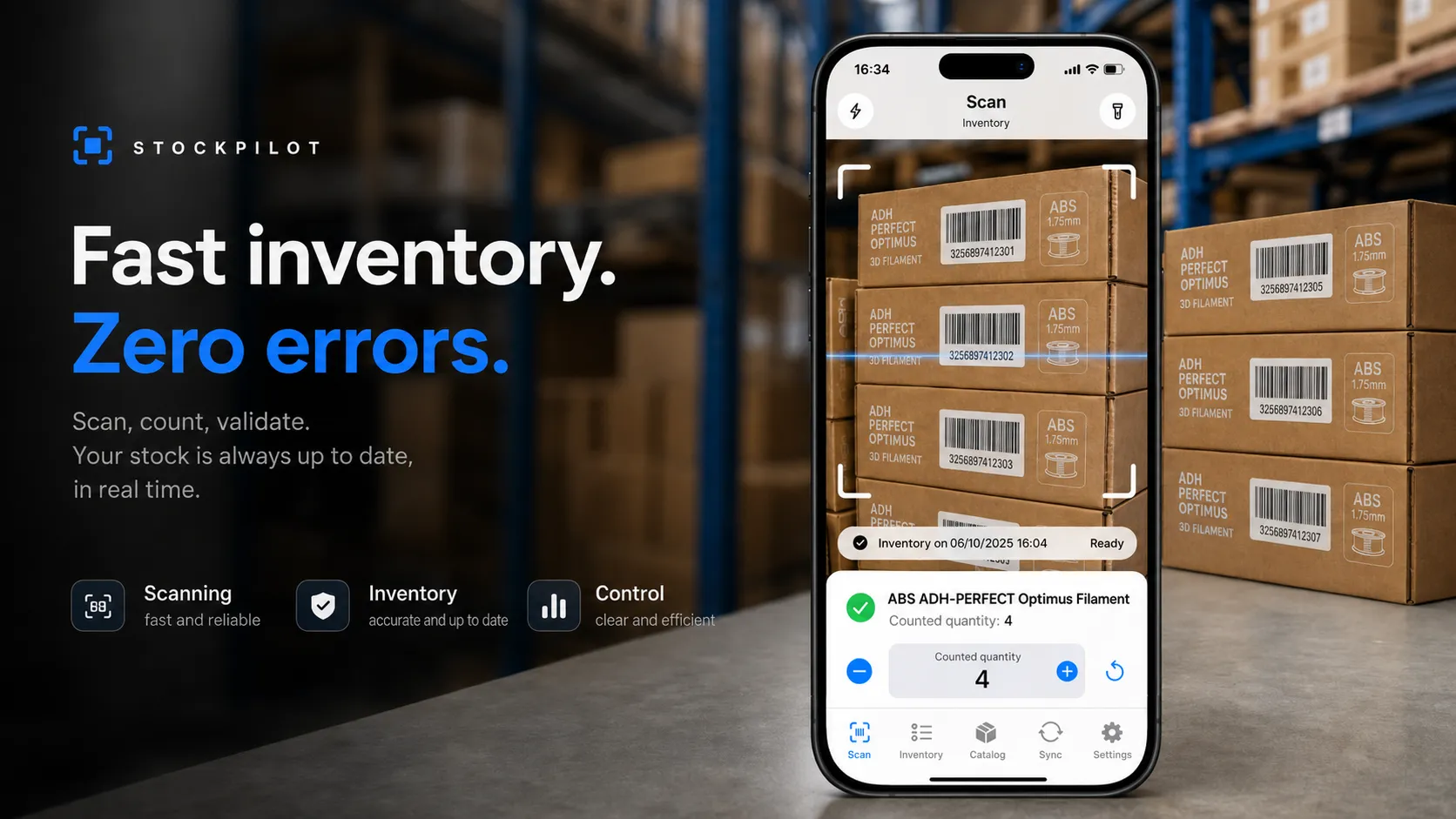
Inventory management made simple, fast and surprisingly enjoyable
StockPilot turns your iPhone into a powerful mobile inventory tool.
Scan products, adjust quantities and track your progress directly from your iPhone. With StockPilot Control, the companion app for Mac, you can then review your inventory on a larger screen, identify discrepancies and make full use of the data you have collected.
StockPilot focuses on what matters: a clear interface, fast actions and all the power required for serious inventory work, without the usual complexity of stock management software.
Scan. Count. Review. Done.
Inventory that moves at the speed of your products
StockPilot is designed to be used directly in a shop, stockroom, workshop or warehouse.
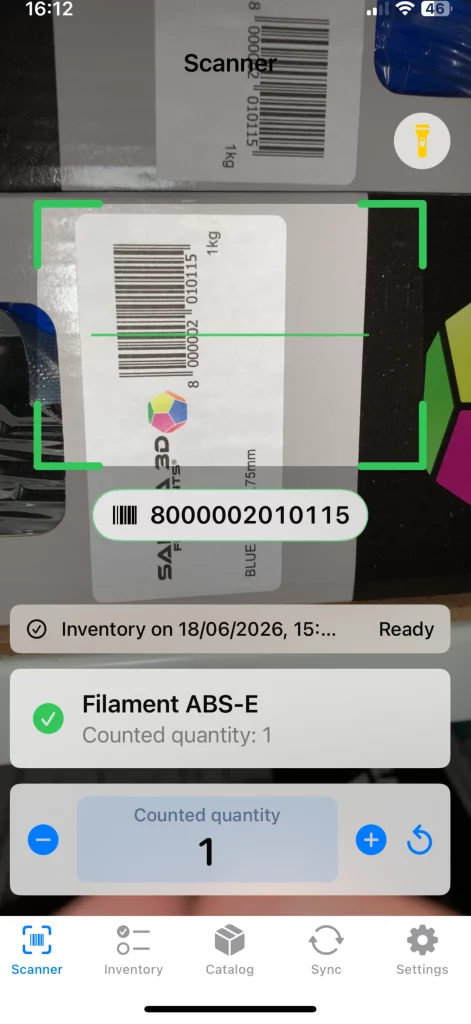
Your iPhone stays with you as you move from shelf to shelf. Simply scan a product code to identify the item and record the quantity counted.
Every essential action is immediately available:
add one unit;
remove one unit;
enter a quantity directly;
correct a mistake;
check the identified product;
view the quantity already counted.
There is no complicated navigation to interrupt your work.
Scan a product, confirm the quantity, then move on to the next one.
Easy to understand. Even faster to use.
StockPilot does not try to impress you with endless menus, overloaded dashboards or features designed for large logistics platforms.
It is built for retailers and small businesses that need an efficient tool they can use immediately.
The interface displays only the information that matters, exactly when you need it.
There is no training course to complete, no long manual to read and no complex system to configure before you can begin.
Create an inventory session, pick up your iPhone and start counting.
Simple does not mean limited
StockPilot’s simplicity is the result of a great deal of work happening quietly in the background.
The app can manage large product catalogues, multiple inventory sessions and several types of product identifiers.
Depending on your organisation, a product can be recognised using its:
barcode;
SKU;
internal identifier;
online store identifier;
QR code created for your own workflow.
StockPilot handles this complexity without forcing it into your daily routine.
You see the product, the quantity and the next action to take.
Everything else stays discreetly out of the way.
Unknown products no longer stop your inventory
Real-world inventories rarely go exactly as planned.
A product may not yet exist in the catalogue. A label may be missing. A reference may have changed. A box may reappear after spending several years in a forgotten corner of the stockroom.
When StockPilot encounters an unknown code, it does not force you to stop.
The product can be saved as a temporary item and linked to the current inventory session. You can review it later, complete its details or match it with an existing product.
Your inventory keeps moving.
So does your patience.
Keep each inventory session clearly separated
Every inventory is stored as an independent session.
This makes it easy to organise counts by:
shop;
warehouse;
stockroom;
shelf;
storage location;
product category;
inventory period.
Each counted product remains attached to the correct session.
You always know what has already been checked, what still needs attention and where you left off.
An interrupted inventory can be resumed without starting again or mixing the results with another session.
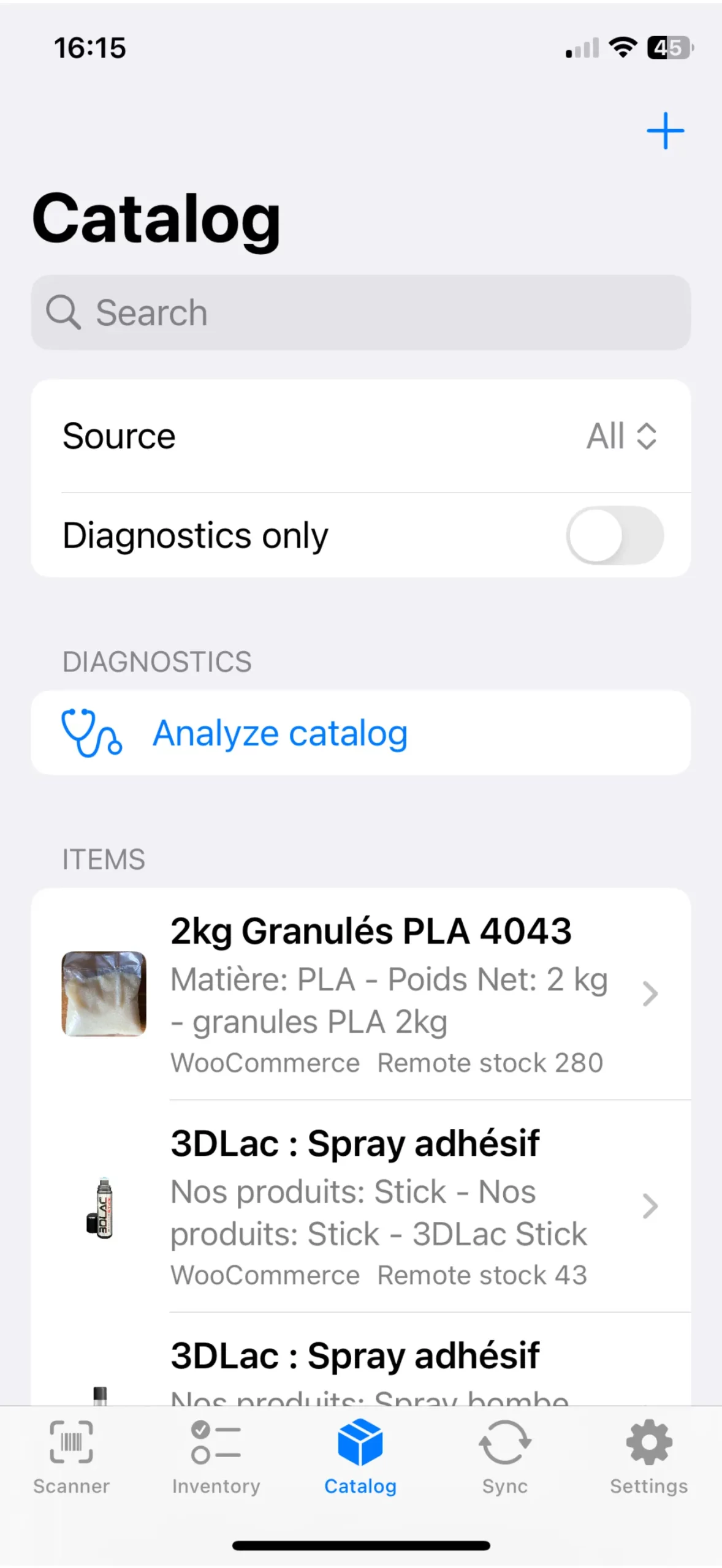
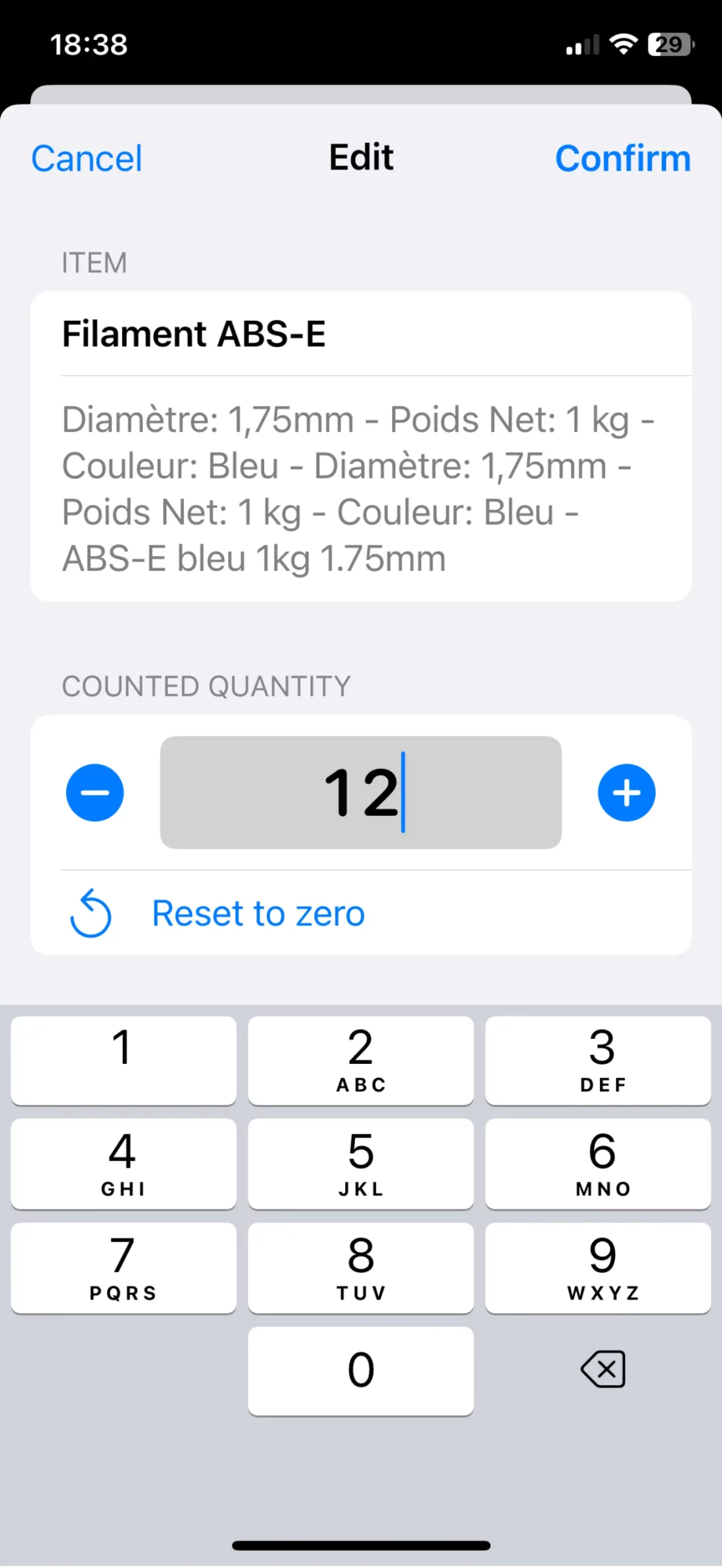
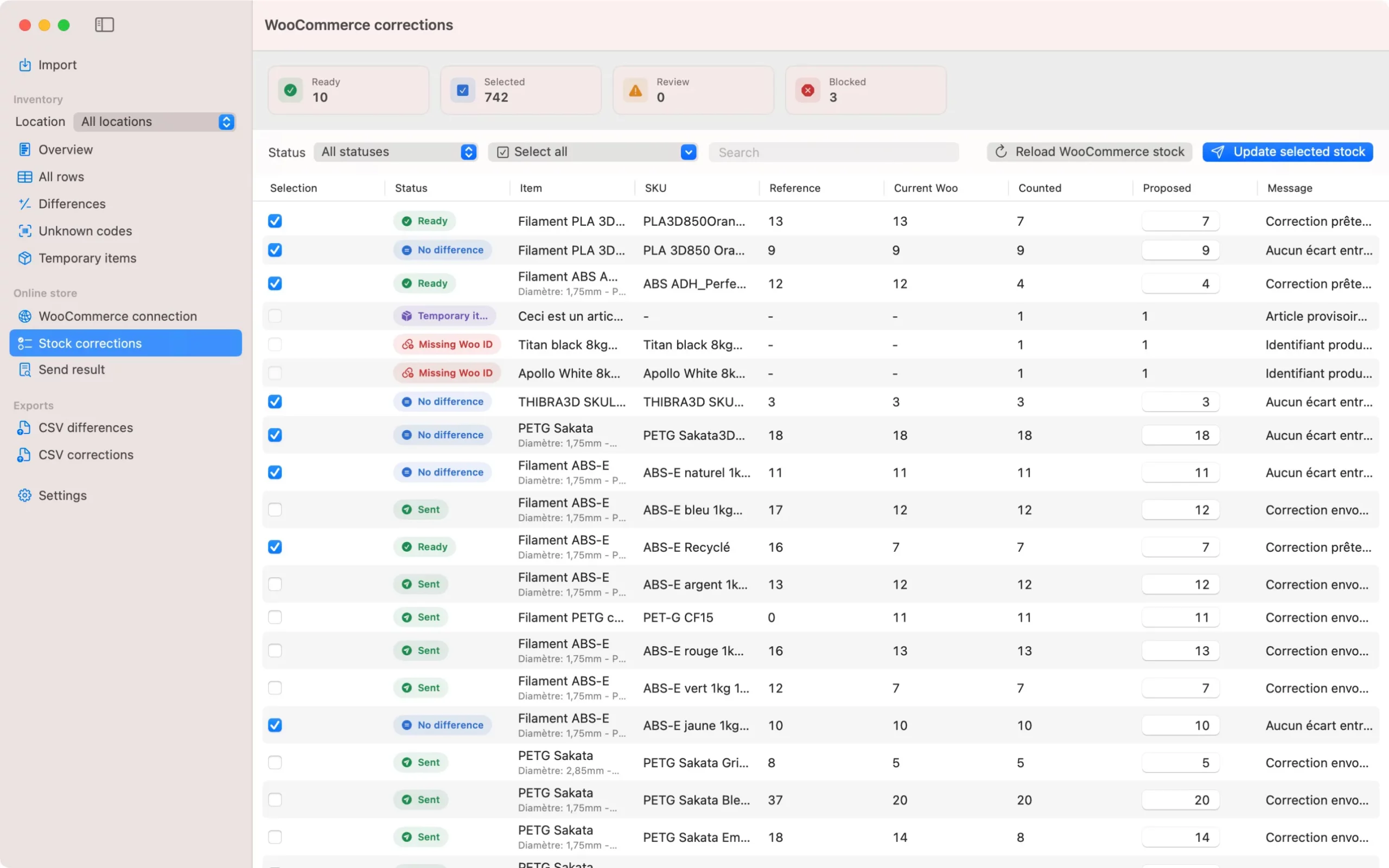
StockPilot Control
The power of your Mac for complete inventory control
The iPhone is ideal for counting products on the floor.
The Mac is ideal for reviewing the results.
StockPilot Control is the macOS companion app for StockPilot. It lets you access the inventories created on your iPhone through an interface designed for a larger screen.
From your Mac, you can review sessions, check quantities and handle items that require further attention in a more comfortable working environment.
Your iPhone becomes the mobile inventory terminal.
Your Mac becomes the control centre.
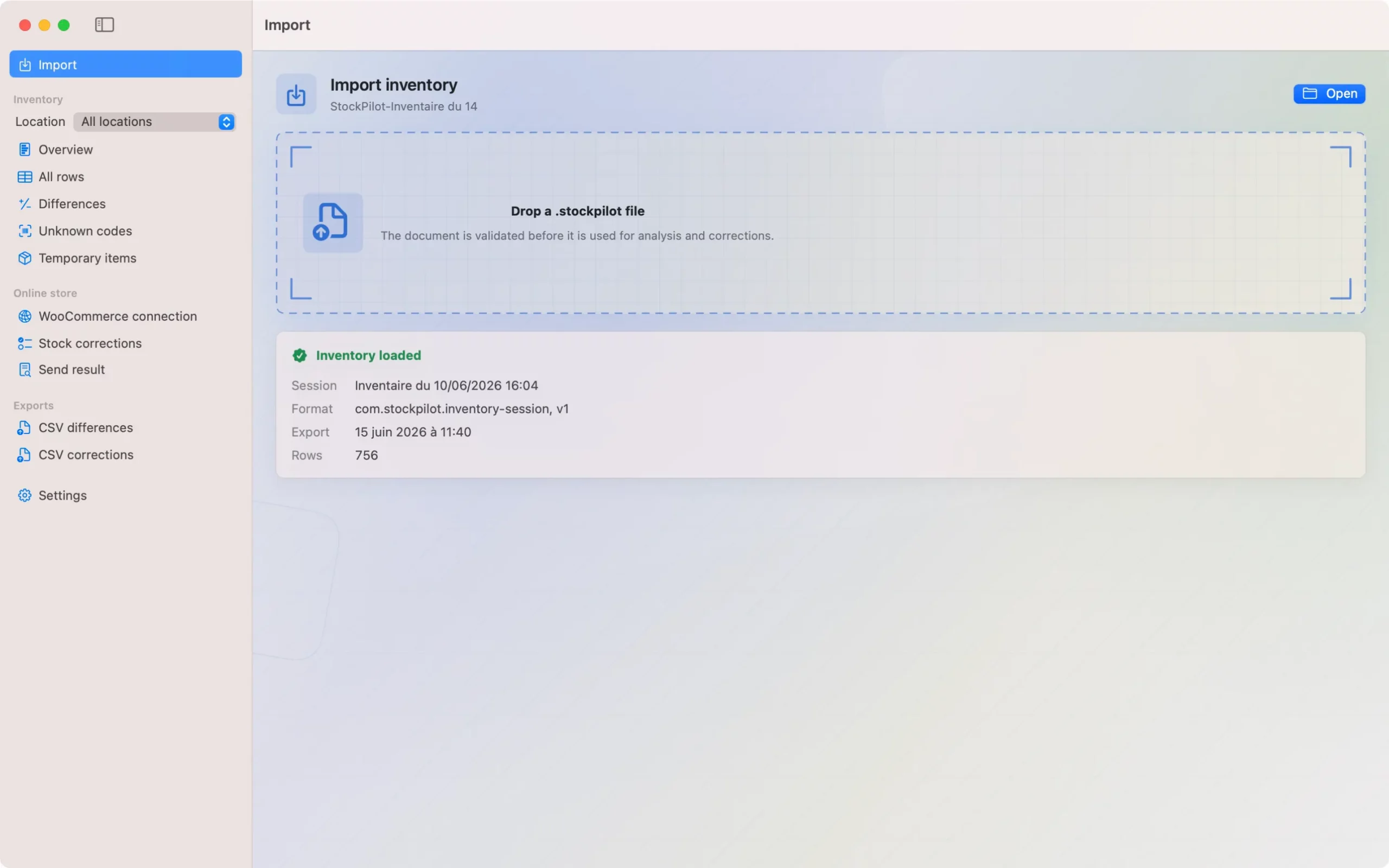
Review your inventory on a larger screen
StockPilot Control brings together the data collected during the count.
Its interface gives you a clear overview of:
inventory sessions;
counted products;
recorded quantities;
unknown references;
temporary items;
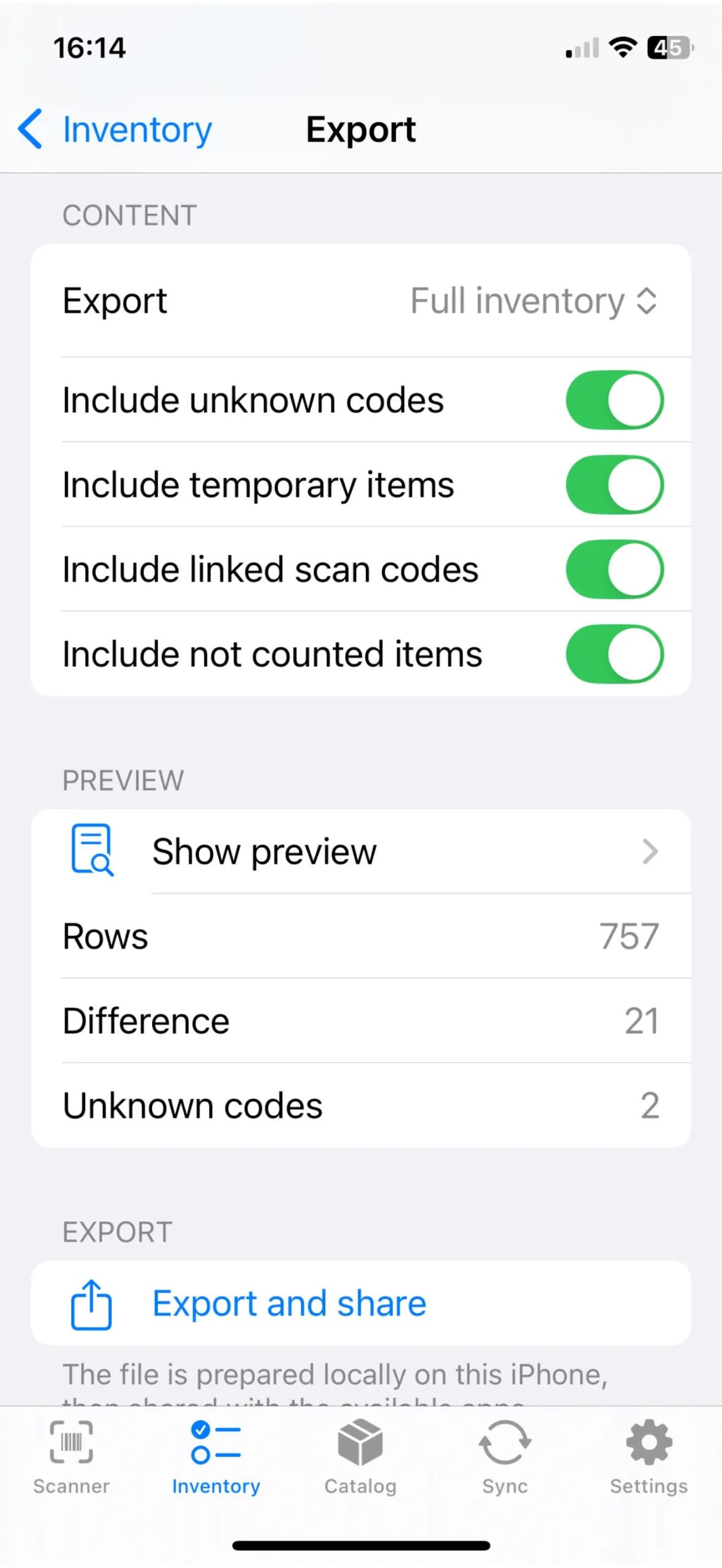
discrepancies requiring review;
the progress of each session.
You gain a complete view of your inventory without immediately having to work with spreadsheets or combine multiple files.
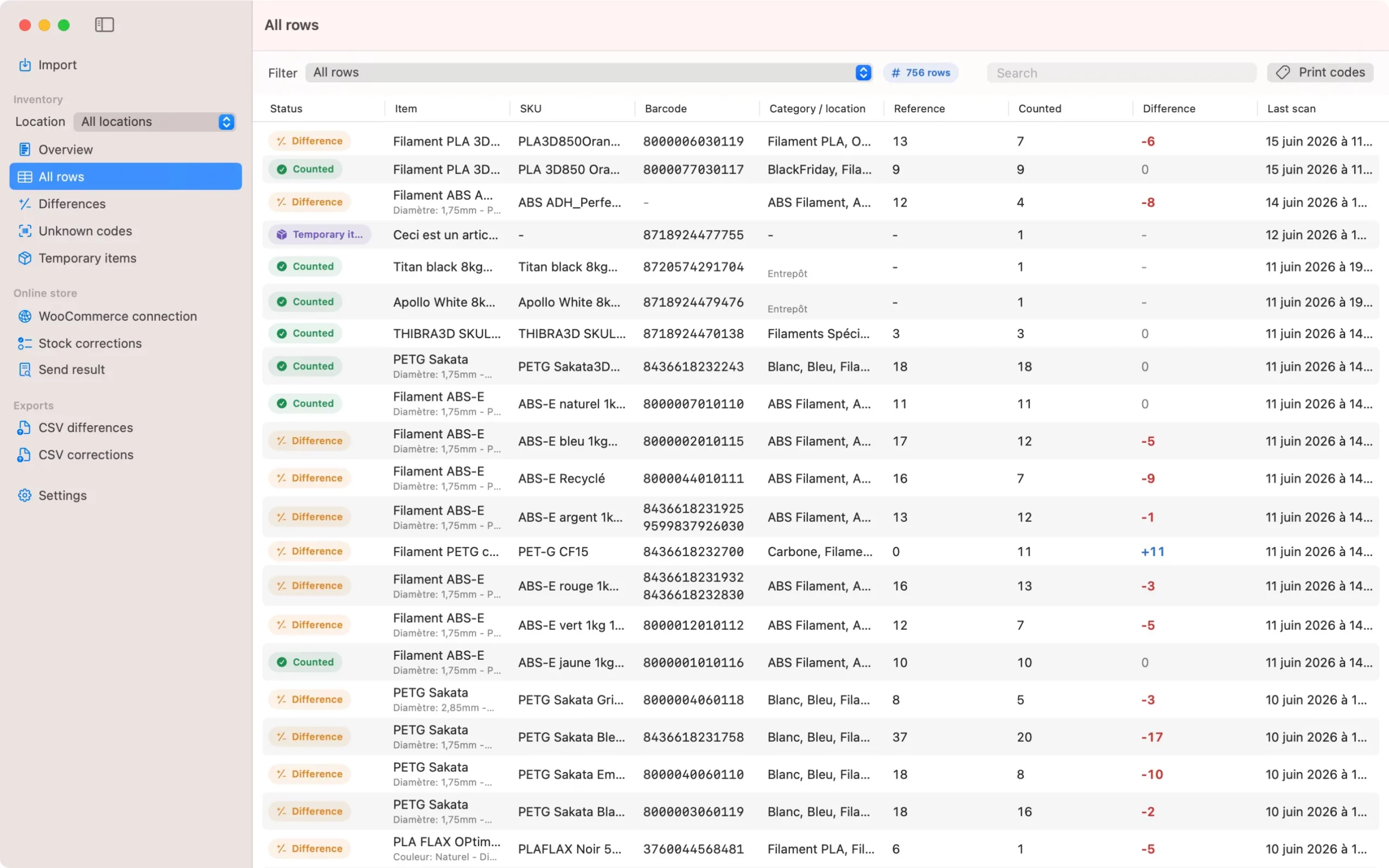
Identify what really needs your attention
An inventory is not only about counting products.
Its real purpose is to identify the difference between expected stock and actual stock.
StockPilot Control makes it easier to spot issues such as:
quantities lower than expected;
quantities higher than expected;
unrecognised products;
incomplete references;
items counted in the wrong location;
data that requires confirmation.
Important information is easy to see.
You spend less time searching for discrepancies and more time understanding them.
Synchronise iPhone and Mac
StockPilot and StockPilot Control work together to maintain continuity between on-site counting and office-based review.
Sessions created on the iPhone can be accessed on the Mac with their products, quantities and progress.
You can start an inventory in the stockroom, continue it with your team and then analyse the results from StockPilot Control.
Each device is used for what it does best, without making the process more complicated.
Export data you can actually use
Your information remains usable outside StockPilot.
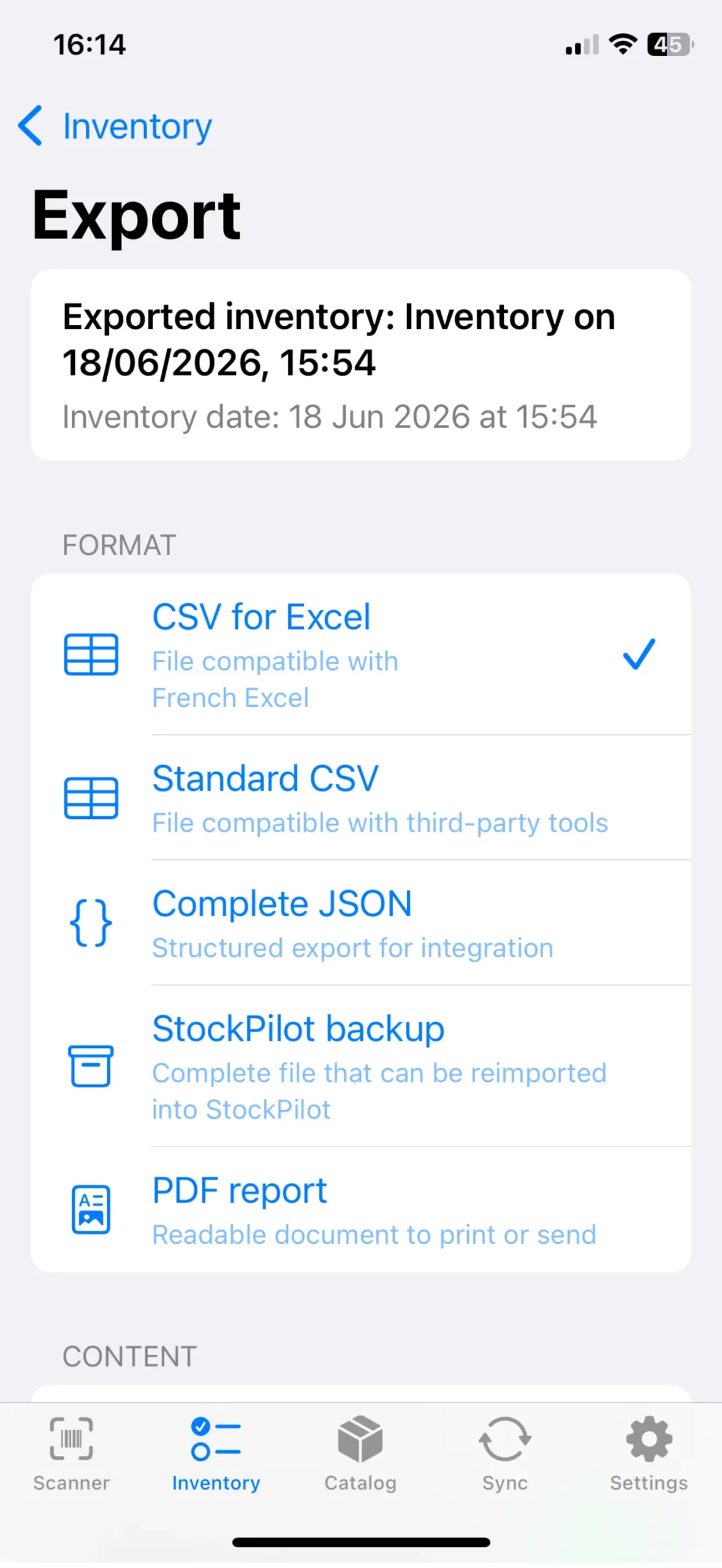
Inventory results can be exported in common formats so they can be opened in a spreadsheet, archived or shared with a colleague.
Exports can include:
product references;
barcodes;
SKUs;
expected quantities;
counted quantities;
stock discrepancies;
storage locations;
session information.
You retain full control over your data and can integrate it into your existing workflow.
StockPilot does not try to replace every tool you already use.
It fits into the way you work.
Built for small businesses and large catalogues
StockPilot is particularly well suited to:
online shops;
independent retailers;
craftspeople;
resellers;
small warehouses;
workshops;
businesses with several storage areas.
The app works just as well with a few dozen references as it does with a much larger catalogue.
It does not force you to manage purchases, sales, suppliers and every stock movement inside the same system.
StockPilot steps in exactly when you need it: when you want to verify what is physically present on your shelves and in your boxes.
Designed for online retailers
StockPilot can work with product information from your e-commerce catalogue.
When a product has an online store identifier, SKU or barcode, this information can be used to make identification and inventory matching easier.
The aim is to reduce duplicate data entry and create clean results that can later be used in your usual tools.
StockPilot does not lock you into one particular e-commerce platform.
It helps you produce structured, accurate and usable inventory data.
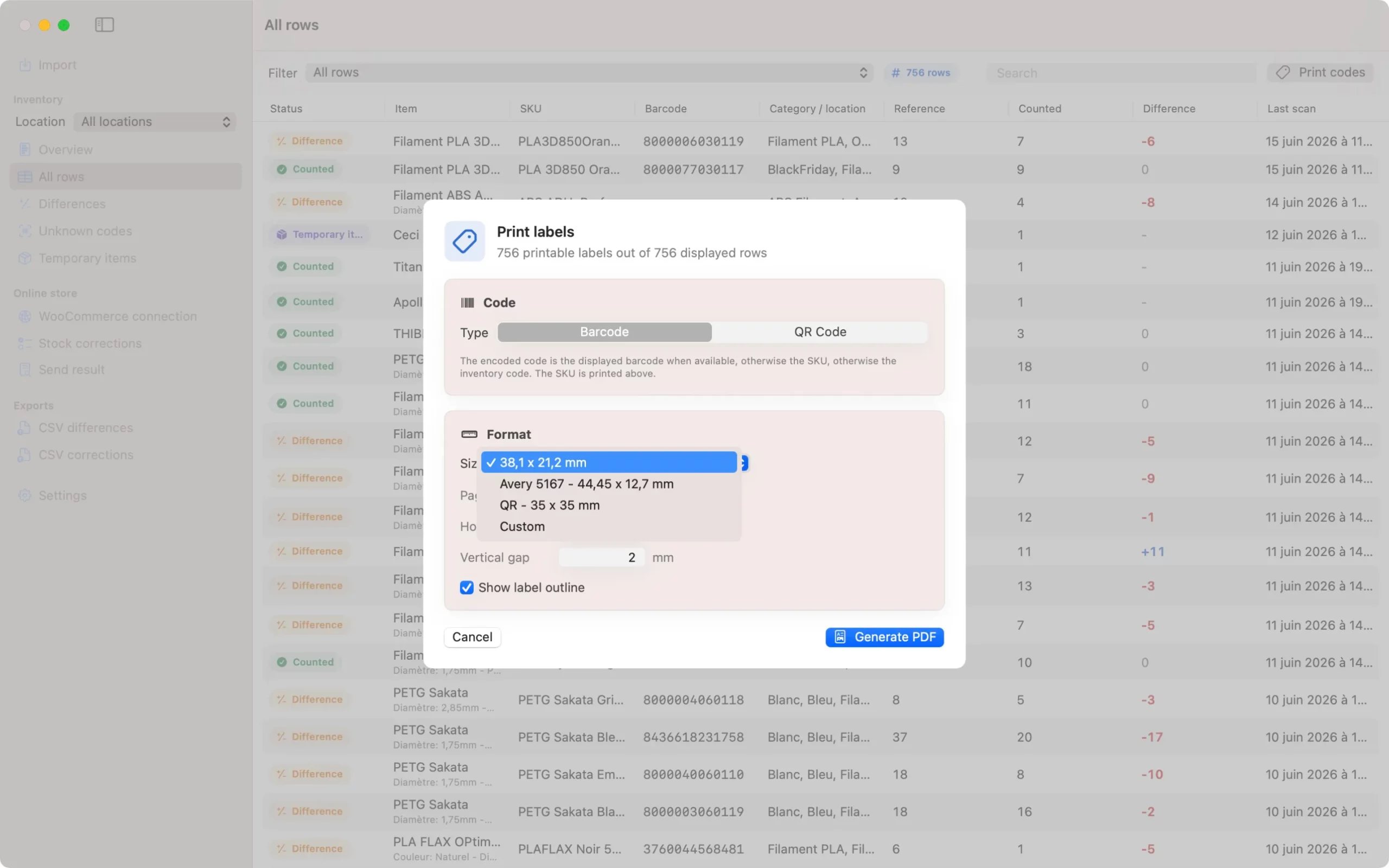
Print your own barcodes and QR codes
Not every product comes with a usable barcode.
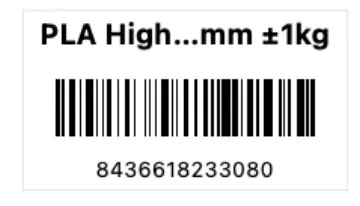
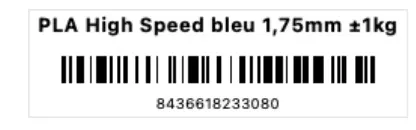
StockPilot Control lets you prepare labels for products, internal references and storage locations.
You can then scan those labels directly with StockPilot on your iPhone.
This is especially useful for:
internally produced items;
products without barcodes;
batches;
boxes;
storage locations;
shelves;
products from multiple suppliers.
Your identification system adapts to your business, not the other way around.

Truly native apps for iPhone and Mac
StockPilot is developed specifically for iOS.
StockPilot Control is developed specifically for macOS.
Each app benefits from an interface designed for its device:
fast touch controls on iPhone;
camera-based scanning;
an interface suited to moving around;
detailed review on Mac;
full keyboard and mouse support;
navigation consistent with Apple platforms;
fast and responsive performance.
StockPilot is not a generic web interface wrapped inside an app.
Each version is designed to feel natural on the device you are using.
Your data remains under your control
StockPilot is built around one essential principle: your inventory data belongs to you.
You can review it, synchronise it and export it without depending on an opaque proprietary format.
The app is designed to fit into your existing working methods, not force you to rebuild them around a new system.
You remain free to use your current business software, e-commerce platform and everyday tools.
StockPilot simply provides the missing piece: a mobile inventory experience that is genuinely pleasant to use.
Why choose StockPilot?
Immediate to understand
The interface is clear from the first launch. The main actions are visible and counting can begin quickly.
Focused on inventory
StockPilot does not get distracted by unnecessary features. The entire app is built around inventory work.
Fast on the shop floor
Your iPhone replaces printed lists, delayed data entry and repeated trips back to a computer.
Precise control on Mac
StockPilot Control makes it easy to review results, handle discrepancies and work with your data in comfort.
Powerful without being complicated
Advanced features are available when needed, but they never slow down the simplest tasks.
Open and reusable data
Exports let you keep, share and reuse your information in other tools.
Inventory you might almost want to do again
Let’s be honest: very few people wake up looking forward to counting boxes.
StockPilot does not change the nature of inventory.
It changes the way inventory feels.
Scanning is fast. Information is clear. Quantities can be adjusted instantly. Progress is easy to follow. Unknown products do not interrupt the workflow.
The app almost disappears behind the task itself.
Products move quickly from one to the next, the inventory progresses and the whole process becomes unexpectedly satisfying.
So satisfying that you may almost regret reaching the end.
Almost.
StockPilot Control for Mac
Review, analyse and export your inventory from a clear and powerful macOS app.
[Download StockPilot Control on the Mac App Store] -> Coming soon
StockPilot for iPhone